Glow Actions For Photoshop — Orton Effect
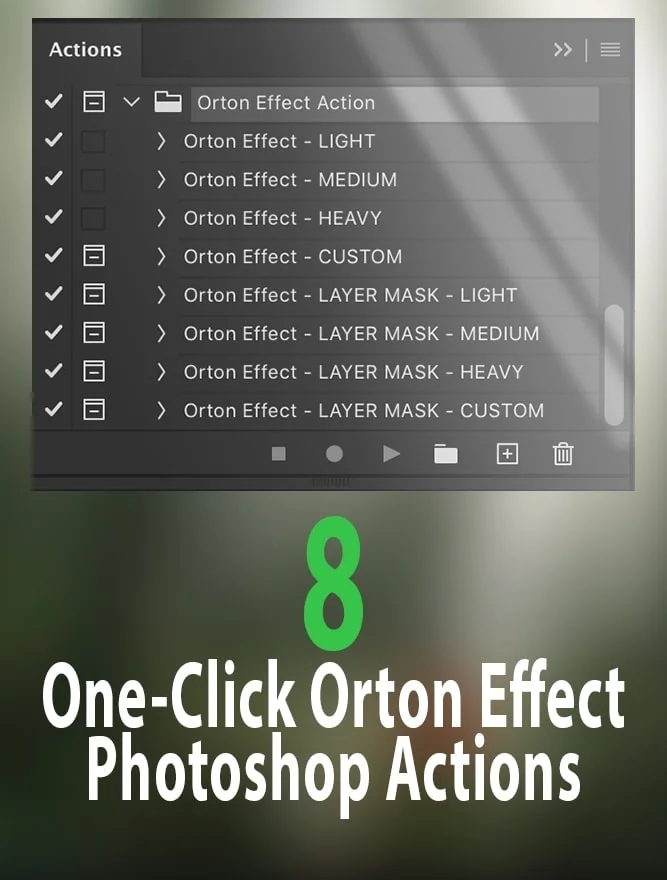
Eight one-click Orton-effect glow actions for Photoshop. Ideal for landscapes, portraits, and golden hour work.
Watch the demo
The Orton effect is one of the fastest ways to add depth and mood to a photo — a subtle glow that softens highlights and mid-tones without washing out detail. Done well, nobody notices the effect itself. They just notice the image looks better.
This pack is the full kit I reach for on my own landscape and portrait edits. Eight actions total: six one-click presets that run from a light polish to a dramatic glow, plus two fully customizable versions with layer masks so you can brush the effect exactly where you want it.
Ideal for golden hour portraits, moody landscapes, and anywhere you want a whimsical, captivating finish.
Frequently Asked
-
Will this work on my version of Photoshop?
Any version from CS6 through the latest Creative Cloud release. If you bought Photoshop in the last 10+ years, you're covered.
-
Do I need to know Photoshop to use this?
Not at all — that's the point of the one-click actions. You open an image, run an action, and it's done. The customizable versions give more control if you want it, but the presets work straight out of the box.
-
Is this subscription-based?
No. One-time payment, lifetime access, download and keep forever.
Ready to add Glow Actions For Photoshop — Orton Effect to your workflow?
Instant download. 30-day guarantee. No subscription.